
Temperature, humidity and VPD sensor input
Track representative canopy-air conditions from a protected sensor position.
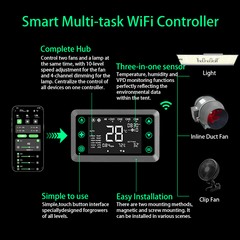
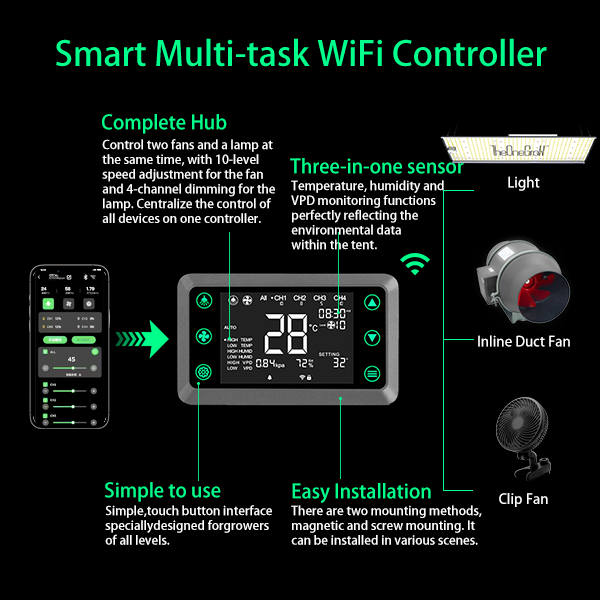
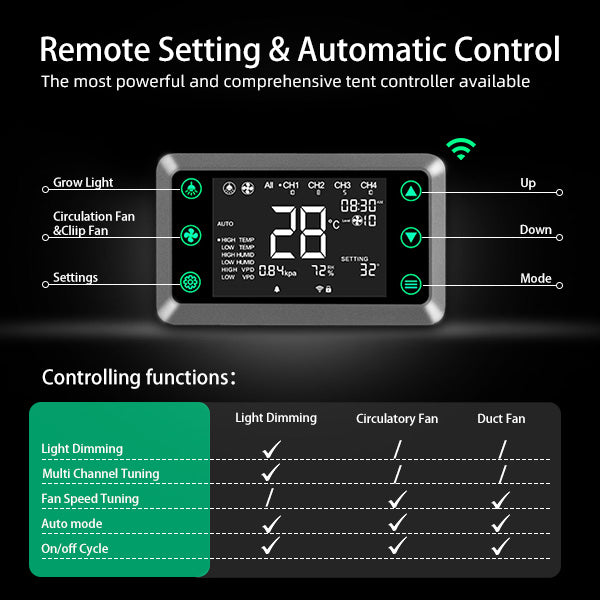
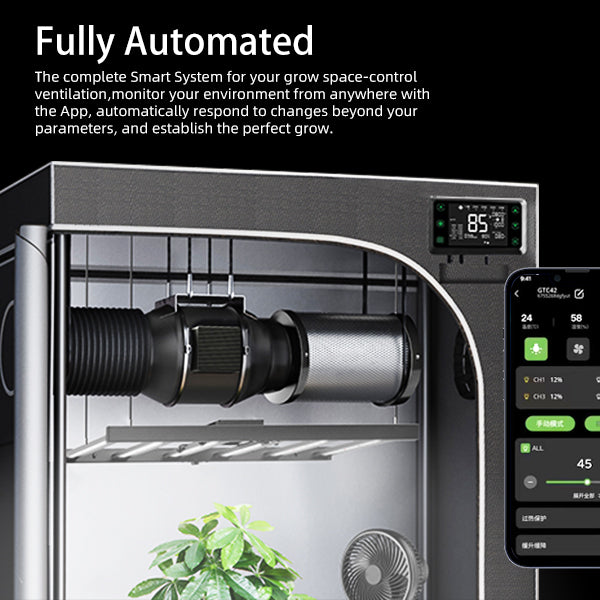
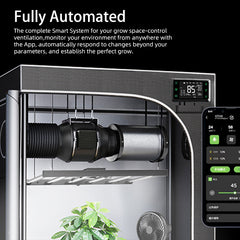
Use the controller to monitor temperature, humidity and VPD, then coordinate compatible lights and fans only after every device has been tested manually.
Check the exact equipment model, supported control function, interface cable and sensor location before connecting devices.
 application and product planning image
The controller can centralize schedules, dimming and fan-speed changes, but exact functions depend on the connected model, cable, firmware and current compatibility list.
Automation depends on compatible equipment, representative sensor readings and tested control settings. A controller cannot replace the cooling, heating, airflow or moisture removal the room needs.
Track representative canopy-air conditions from a protected sensor position.
Build repeatable light cycles only after the fixture responds correctly to manual commands.
Adjust compatible inline and circulation fans while keeping a tested manual fallback.
Use nearby Bluetooth setup and supported network features according to the current app and firmware.
 performance and placement reference
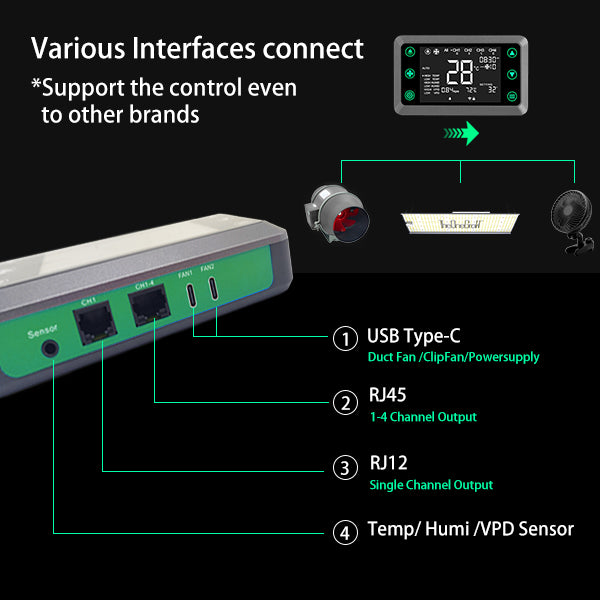
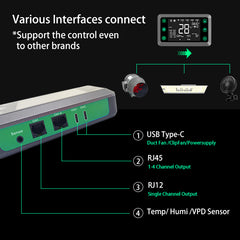
Identify the controller ports and the matching device connections in the product information. Confirm the exact model, required cable and supported commands before plugging in a light or fan; a matching connector shape alone does not establish compatibility.
Test each device manually first. Record on/off response and any supported dimming or speed adjustment before enabling schedules, environmental triggers or remote control.
The controller monitors and coordinates. A clip fan circulates canopy air, while an exhaust kit moves air through the tent. These are different system roles, not interchangeable products or a blanket compatibility list.
Check the included sensor and cables against the devices you intend to connect. Confirm model-specific compatibility before adding another fan or light.
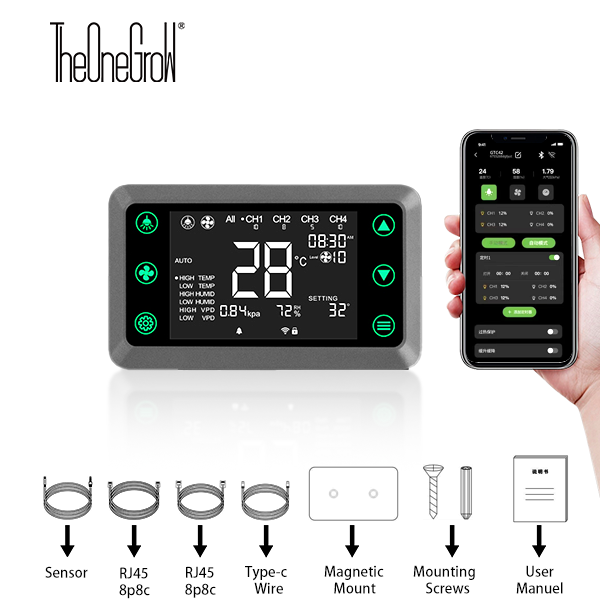
 package and included accessories
Confirm the controller, sensor, cables and mounting pieces shown in the current product media before ordering.
 product image
Add only equipment whose connector and supported control functions are confirmed for this controller.
Only values supported by the current U.S. product record and media are included here.
| Specification | Details |
|---|---|
| Controller and role | |
| Product | Smart Grow Tent Controller |
| Control channels | 4 channels |
| Product role | Environmental monitoring and compatible equipment control |
| Connectivity | Wi-Fi and Bluetooth connectivity |
| Monitoring and interfaces | |
| Sensor monitoring | Temperature, humidity and VPD monitoring |
| Compatible functions | Light dimming, schedules and compatible fan-speed control |
| Interfaces | RJ45, RJ12 and USB Type-C interfaces shown in product media |
| Installation environment | Indoor dry mounting location; verify device compatibility before automation |
Practical answers for planning, installing and comparing Smart Grow Tent Controller.
No. Confirm the exact model, connector, cable and supported commands in the current compatibility information before ordering or automating equipment.
No. It can monitor conditions and coordinate compatible devices, but the room still needs correctly sized lighting, airflow, heating, cooling or dehumidification equipment.
Verify sensor readings, manual on and off response, dimming or speed control, safe limits, complete light-on and light-off cycles and the fallback behavior after a network interruption.
Use the current product media to confirm the controller, sensor, interface cables, magnetic plate, mounting hardware and documentation included with the listing.
Mount the controller in a dry, accessible location. Place the sensor near representative canopy air and away from direct light, wet surfaces, exhaust discharge and the strongest fan stream.
Review the current Shipping Policy and Refund Policy. Use the Contact page for compatibility or warranty questions before ordering.
Read current customer feedback and product ratings.